Save every link worth keeping.

StartBoard gives your bookmarks a home. Save what matters, organize it your way, and find it when you need it.
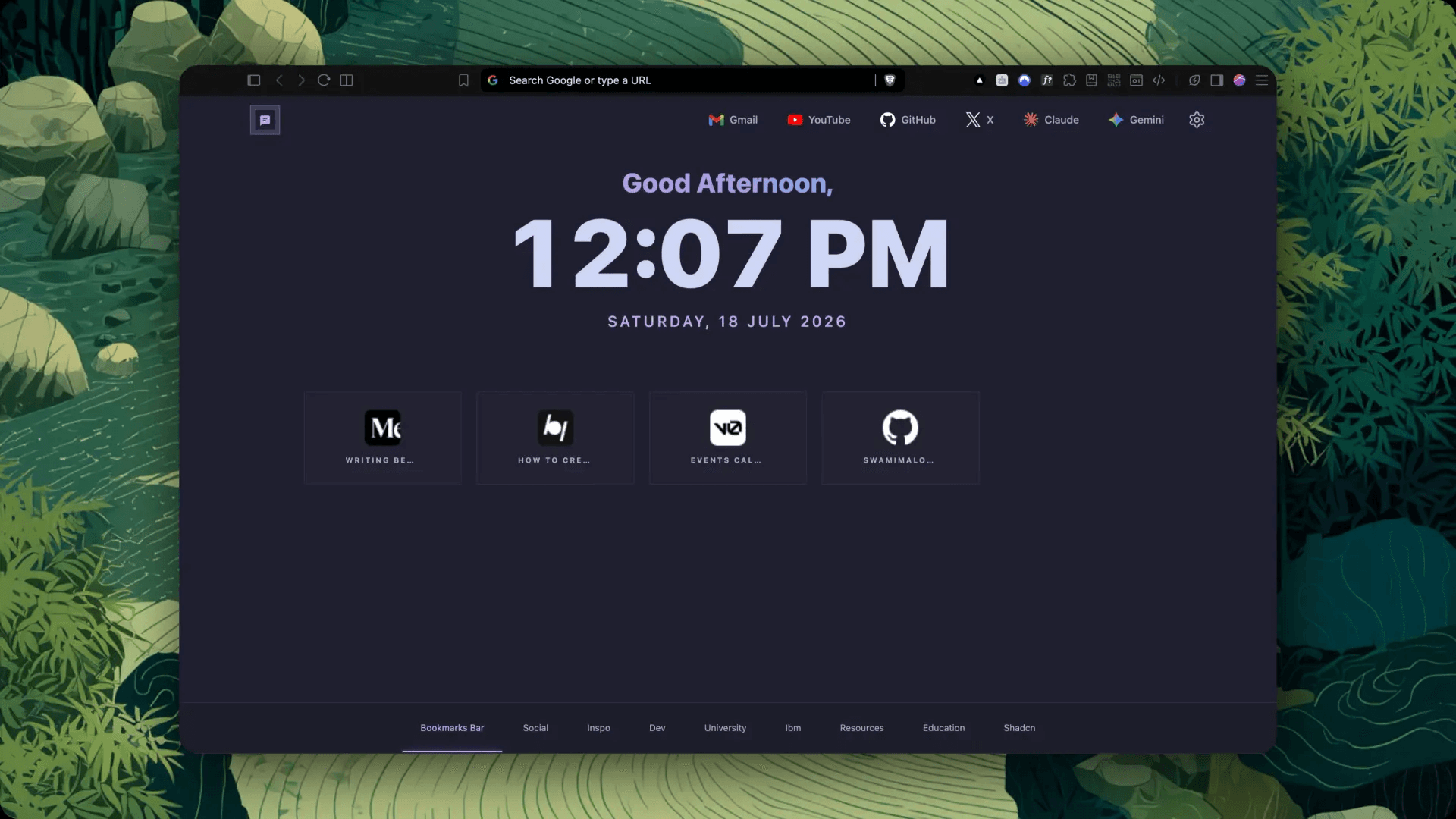
StartBoard displayed as a browser new tab with time and bookmarked links

A new tab that feels like yours.

Your clock, shortcuts, and saved links. Everything you need to start browsing, in one familiar place.

Your bookmarks, organized

Browse your browser bookmarks by folder. Switch between cards or a clean list with sidebar or bottom navigation.

Start at your own pace

A live clock, the date, and an optional greeting. Show only the details you want.

A shortcut to favorites

Add and edit quick links to the sites you visit every day, complete with crisp favicons.

Set the mood

Pick a gradient, a solid color, or your own background image. Your theme stays saved locally on your device.

Keep your bookmarks close, beyond the new tab

Optionally sign in to sync browser bookmarks from Chrome or Firefox to your StartBoard dashboard. Your folders become collections.

Account optional

Your bookmarks, ready for your AI.

Connect StartBoard to your favorite AI assistant over OAuth 2.1. Search, save, organize, and restore bookmarks without leaving your chat or editor.

AntigravityClaudeCursorClaude CodeVS CodeMCP
  • Clerk OAuth with the profile scope
  • 7 tools for bookmarks, collections, and trash
  • Interactive MCP Apps library widget
// mcp.json
{
"mcpServers": {
"starboard": {
"url": "https://starboard.razeev.com/mcp"
}
}
}

Good to know.

The basics before you make yourself at home.

What is StartBoard?

StartBoard is a customizable browser start page that puts your time and favorite links in one calm place.

Do I need an account?

No account is needed for the start page. Sign in only if you want to sync bookmarks with the web dashboard.

Can I use my existing browser bookmarks?

Yes. Grant bookmark access when you want StartBoard to show your browser’s saved links and folders.

How does bookmark sync work?

Sign in through Settings → Account in the extension and grant bookmark access. Your browser bookmarks sync to the web dashboard, with folders organized into collections.

Can I connect AI assistants via MCP?

Yes. StartBoard exposes an OAuth-protected Model Context Protocol endpoint so assistants like Antigravity, Claude, Cursor, and VS Code can read and manage your library. Check Dashboard → MCP for connection setup.

Where are my settings stored?

Your start-page settings are saved locally in your browser. If you enable account sync, your synced bookmarks are also stored for use in the web dashboard.

Is StartBoard open source?

Yes. Explore the code and contribute on GitHub.

How can I report a bug or suggest a feature?

Open an issue on GitHub with the details of your bug or idea.